Early access

Ask your CRM anything. Set it up by just asking.

Connect TechUni to Claude and ChatGPT. Your team gets answers on leads, applications and invoices in plain English. Admins can have an AI assistant set up branches, teams and workflows for them. It works with exactly the permissions each person already has.

Free on every plan.

Early access: available to agencies on request while we roll it out.
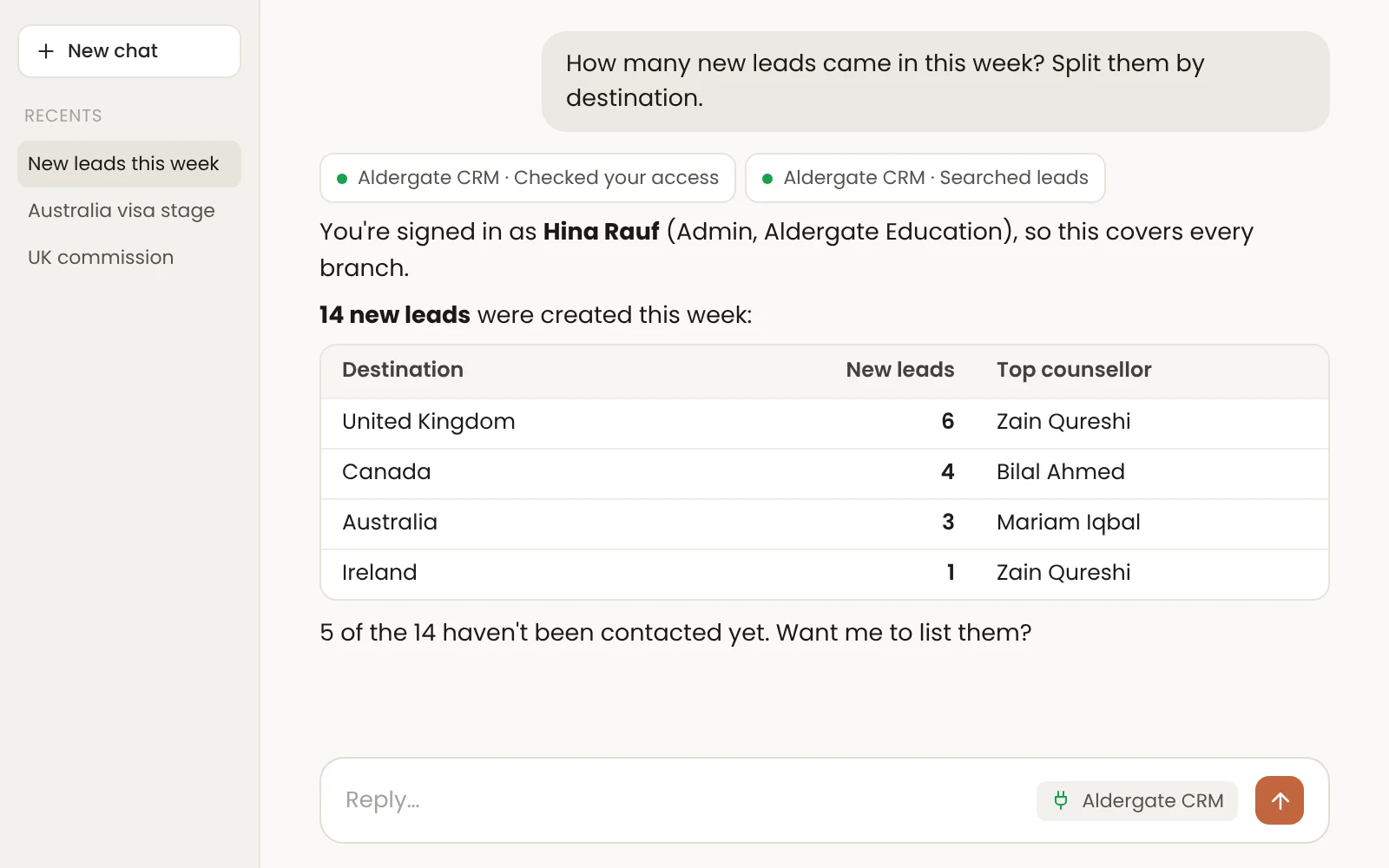
An assistant answering "How many new leads came in this week?" from the Aldergate Education CRM: 14 new leads split by destination, UK 6, Canada 4, Australia 3, Ireland 1

Answers in plain English.

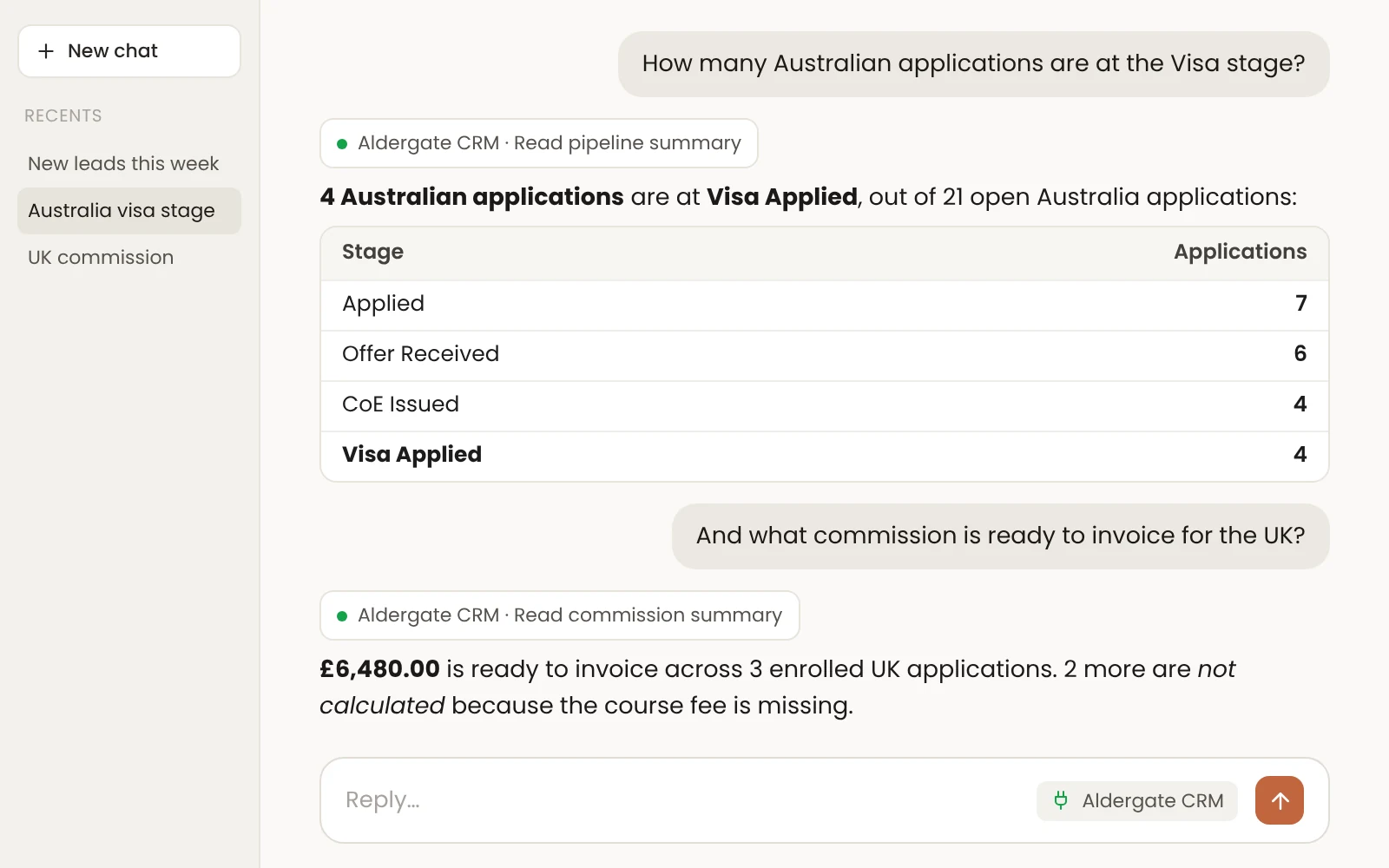
"How many new leads came in this week?" "How many Australian applications are at the Visa stage?" "What commission is ready to invoice for the UK?" Claude and ChatGPT search your leads and students, pipeline stages, invoices and dashboard numbers, and answer in seconds. The everyday assistant only reads, so it can't change, send or delete anything.

An admin asks about Australian applications at the Visa stage and UK commission ready to invoice, and gets stage counts and £6,480.00 ready to invoice
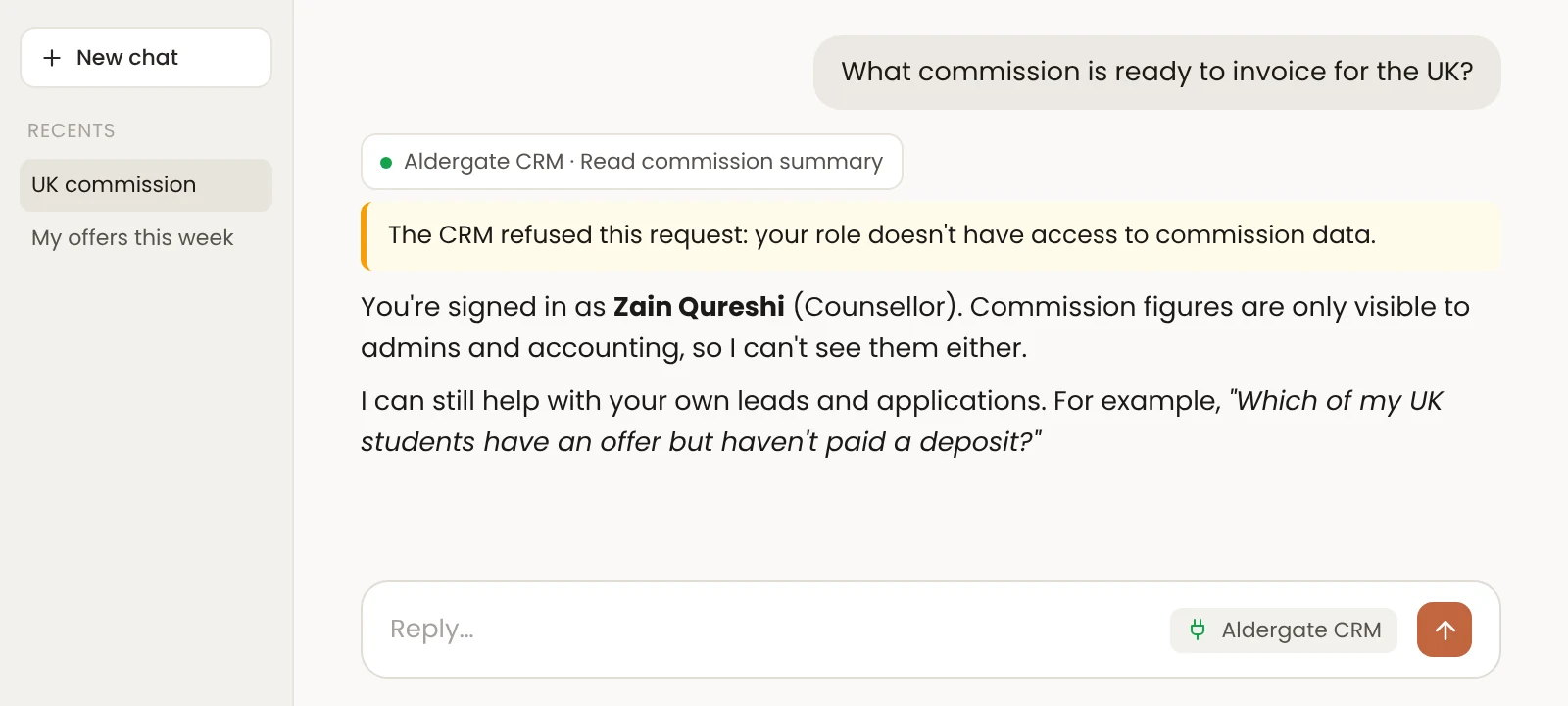
A counsellor asks for commission figures and the CRM refuses, because commission is visible only to admins and accounting
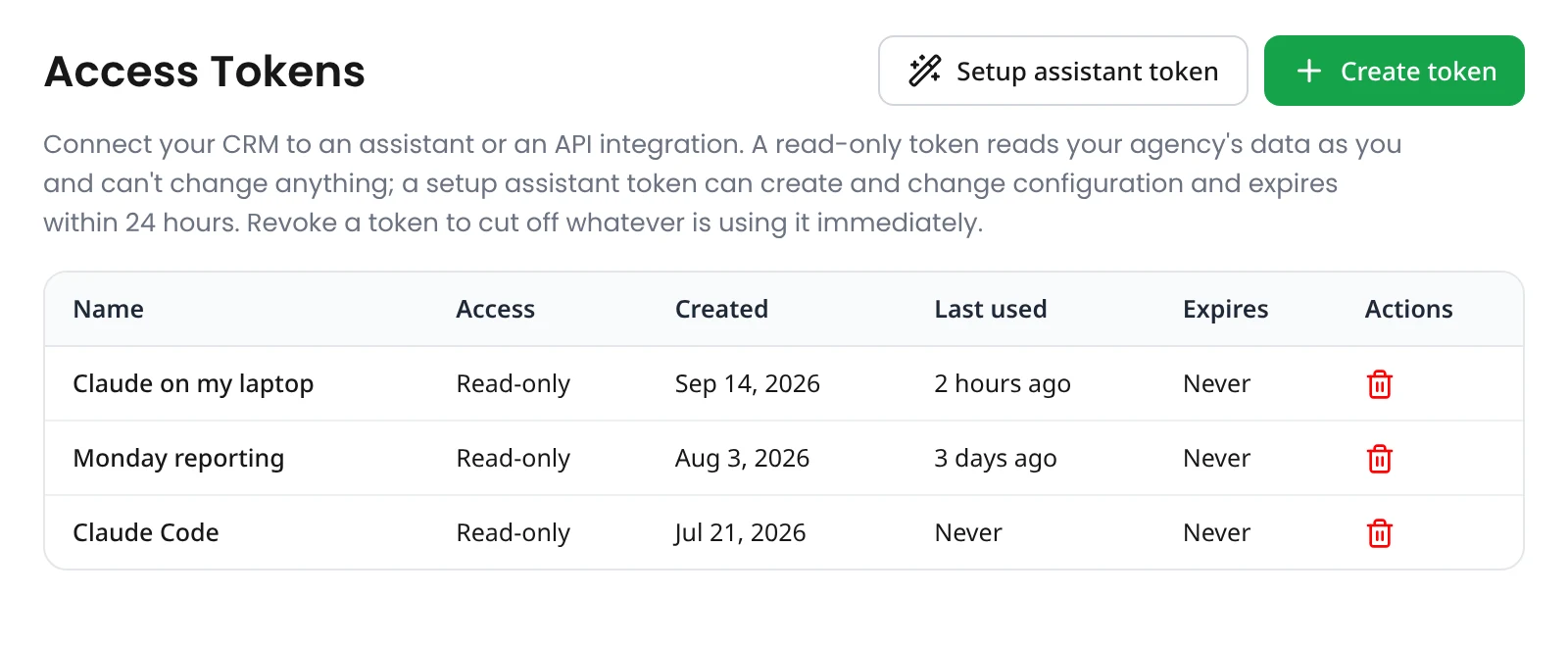
The Access Tokens settings screen listing read-only tokens, with Create token and Setup assistant token buttons

Same permissions, no shortcuts.

Everyone connects with their own access token, created in Settings → Access Tokens. The assistant sees only what that person could see in the CRM. Counsellors never see commission, and agencies never see each other's data. Revoke a token and access stops immediately.

Nothing to install.

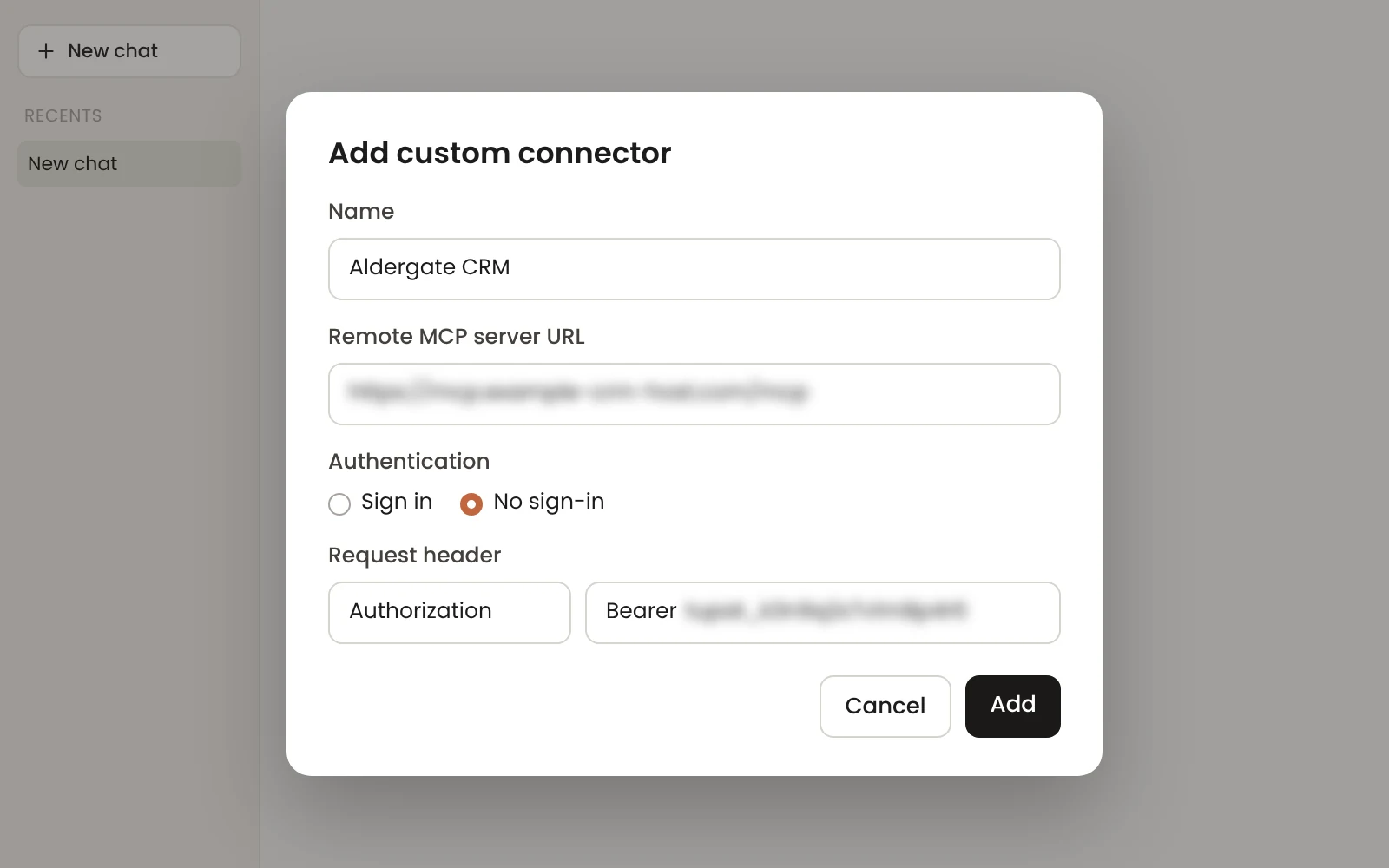
Add your CRM in Claude or ChatGPT as a custom connector with a web address and your token. There's no software to install, and nobody shares a password.

Adding the agency CRM as a custom connector, with a server address and an authorization header (both blurred)
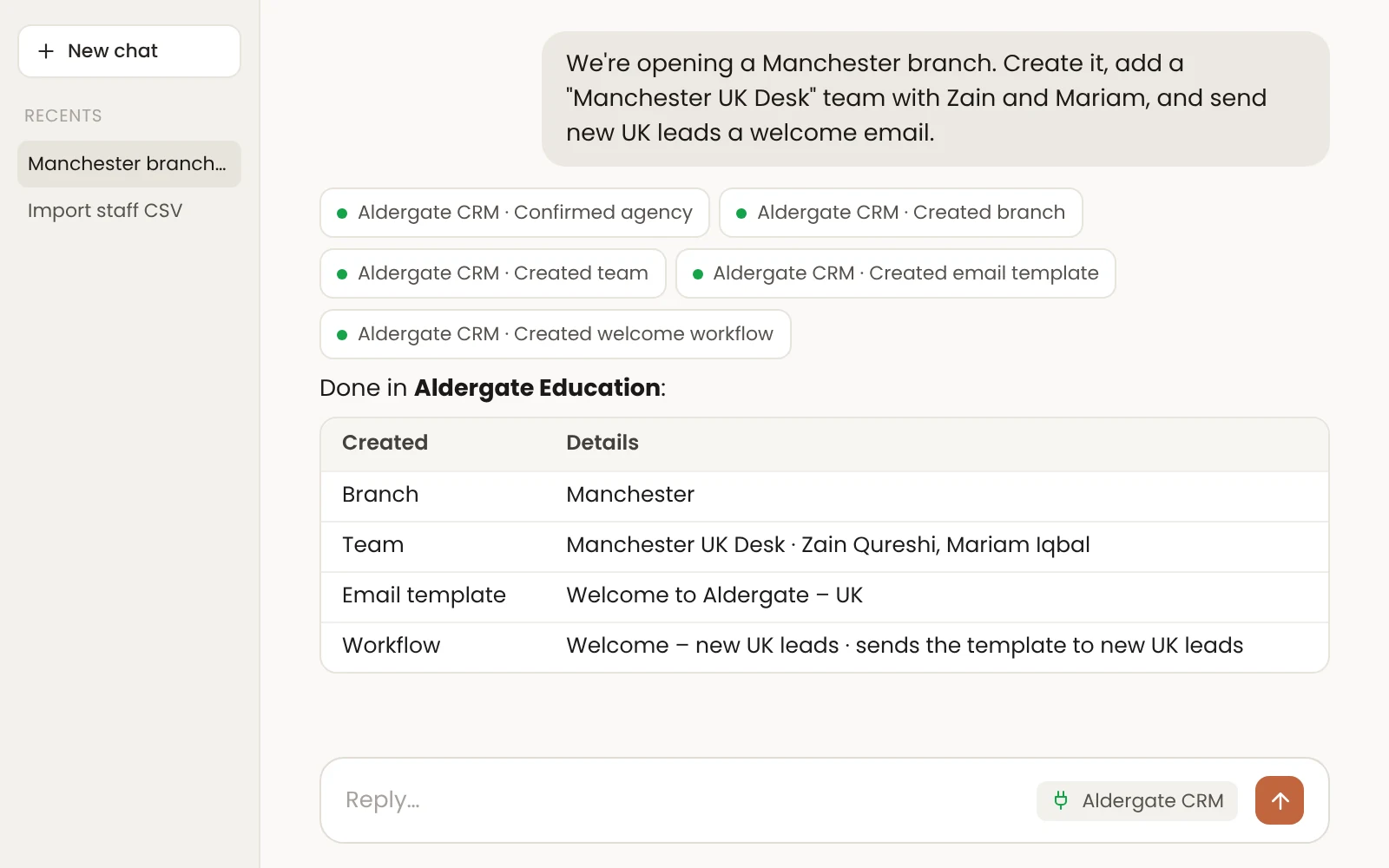
The Setup Assistant creating a Manchester branch, a Manchester UK Desk team, a welcome email template and a welcome workflow from one request

Setup Assistant: tell it, and it's set up.

New branch, new team, new process? Tell the assistant what you need, or give it a staff list. It can set up branches, destination countries, teams, staff users and reporting lines, non-admin roles, process timelines, services, partners, custom fields, email templates and workflows (welcome, stage, tag, reminder, notification and assignment), academic years, commission setups saved as drafts for you to approve, and your email domain.

Built with guardrails.

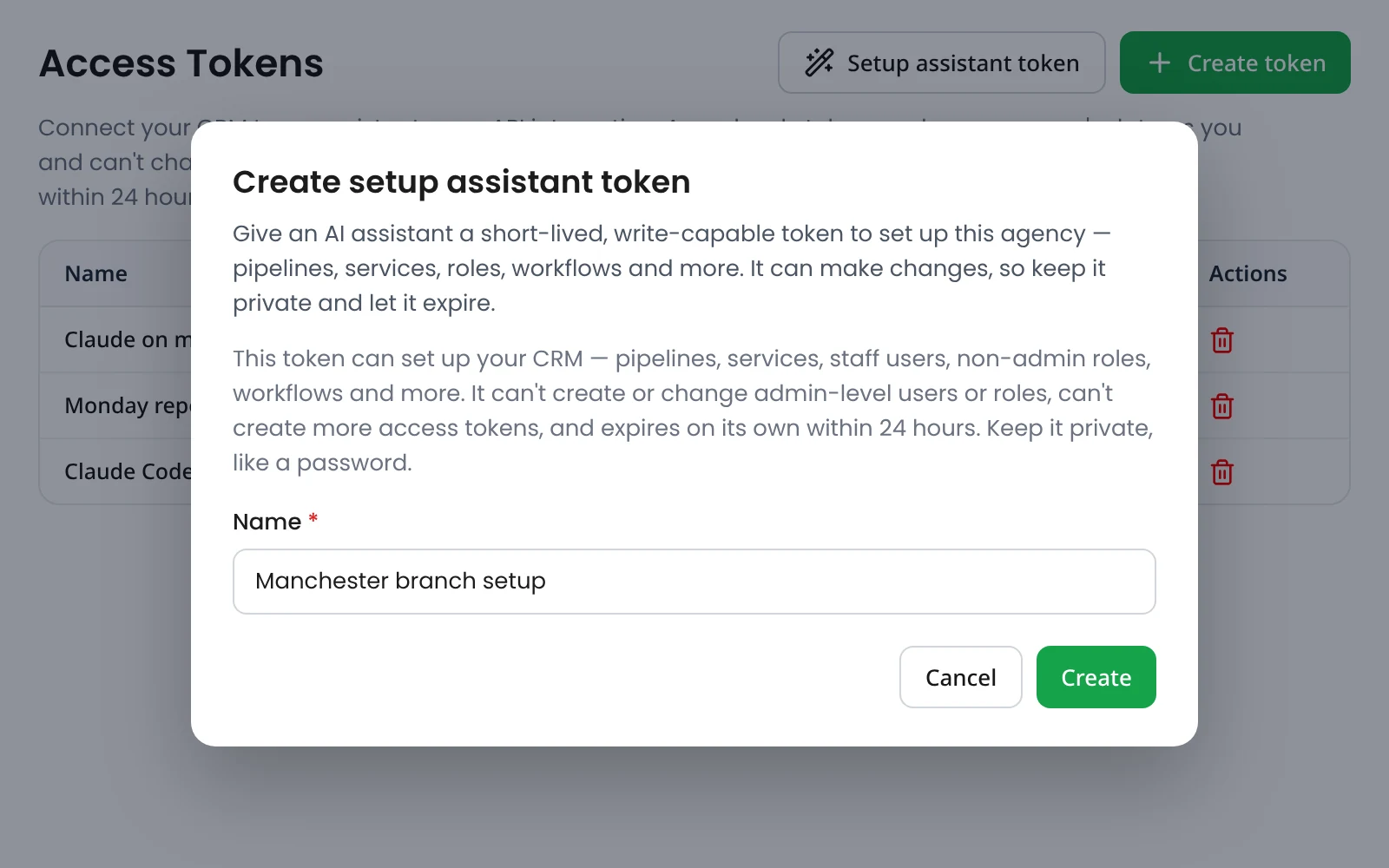
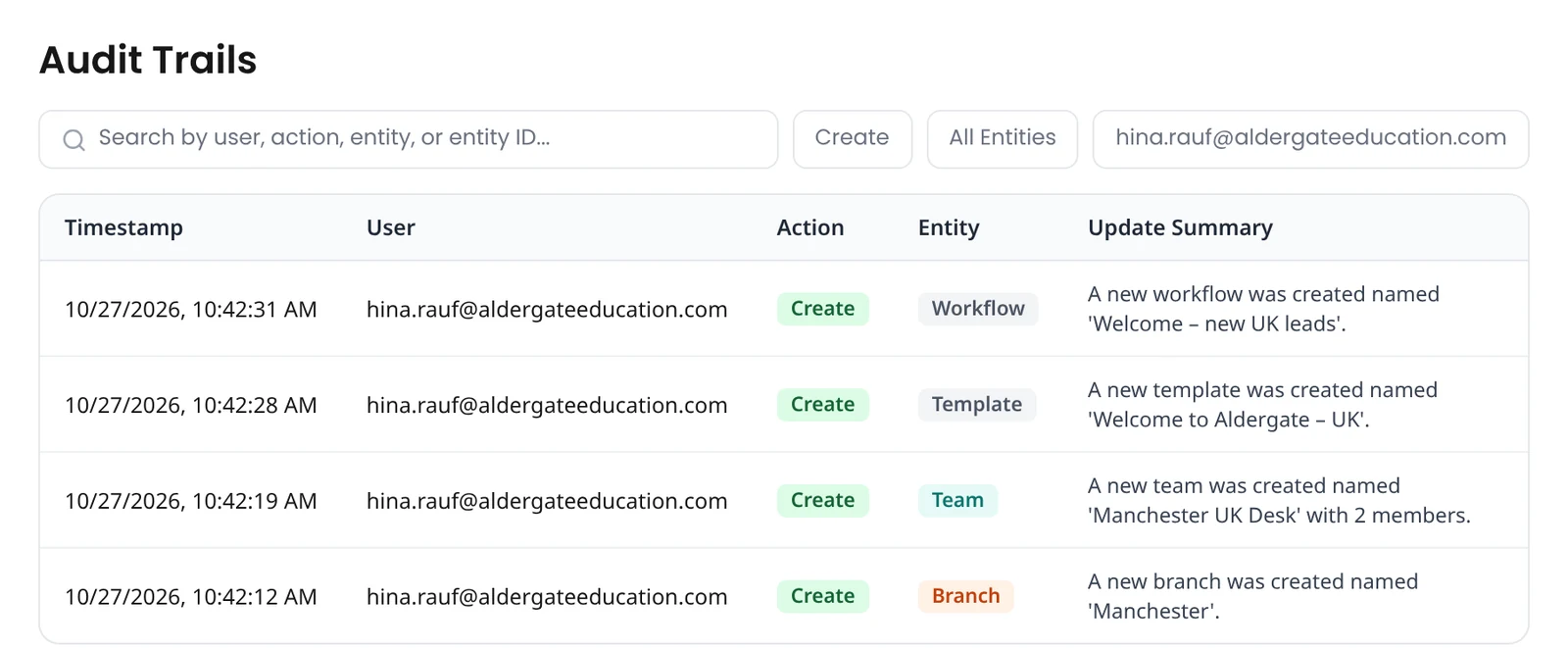
Only an admin can create a setup assistant token, and it expires on its own within 24 hours. It can change setup only. It can't create or change admin users or roles, change passwords, or create more tokens. Every change it makes is recorded in your audit trail.

The Create setup assistant token dialog, explaining that the token can't change admin users or roles and expires within 24 hours
The Audit Trails screen showing the four setup changes (branch, team, template and workflow) recorded for the admin

Questions about the AI Assistant

What is "Early access"?

We're switching it on for agencies one at a time. Book a demo and we'll set it up with you.

Which AI tools does it work with?

Claude and ChatGPT. Claude includes the desktop app, Claude Code, and custom connectors on claude.ai. You can add the same connector in ChatGPT.

Can the AI change my data?

The everyday assistant is read-only. The Setup Assistant can only change setup screens, using an admin's token that expires within 24 hours.

Will counsellors see commission through it?

No. It follows the same permissions as the CRM.

How do I switch it off?

Delete the token in Settings → Access Tokens. Anything using it stops working immediately.

Does it cost extra?

No. It's free and included in every plan.

See your CRM answer back.

Book a demo to start your trial.

Claude is a trademark of Anthropic and ChatGPT is a trademark of OpenAI. TechUni isn't affiliated with or endorsed by them.